
Download Fact Blast – Free Indie Action Platformer, Save the Internet with Facts
Overview
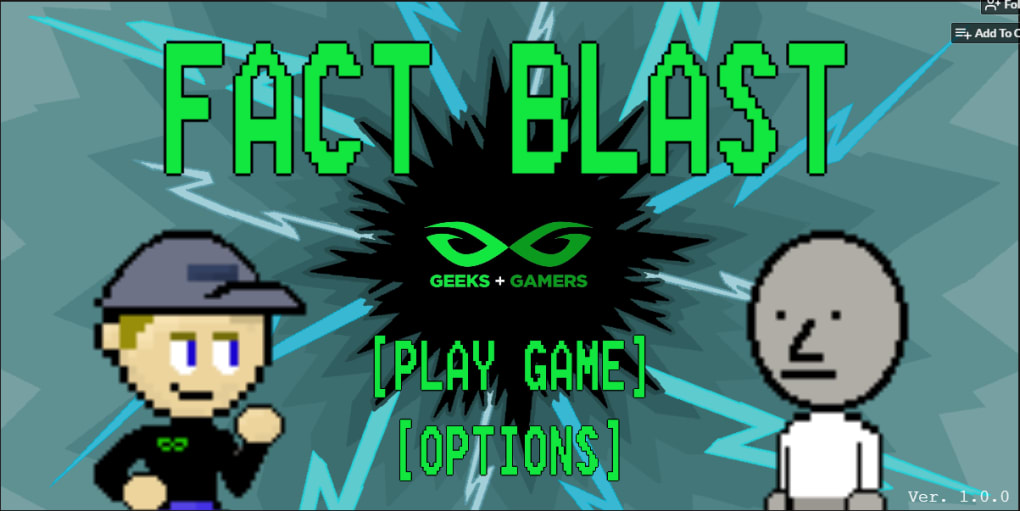
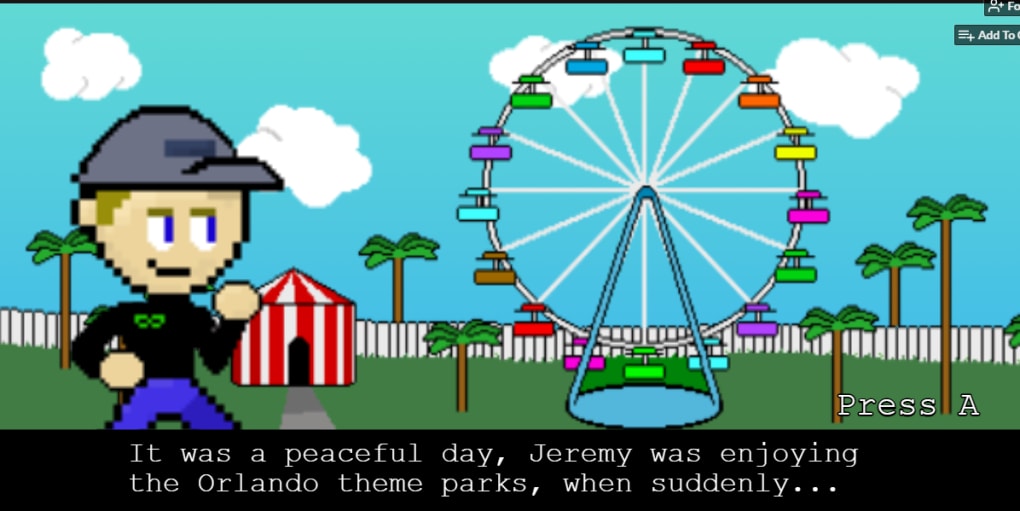
Fact Blast is a quirky, free‑to‑play browser‑based action platformer that throws you into a pixel‑art battle for the soul of the internet. Developed by indie studio t‑rev and built around the energetic personality of Jeremy Griggs, the host of the YouTube channel Geeks + Gamers, the game pits you against hordes of “NPCs” – a tongue‑in‑cheek nod to social‑justice‑warrior stereotypes – who are trying to hijack the web with recycled political rhetoric. Your mission is simple yet oddly profound: use Jeremy’s arsenal of hard‑won facts to blast the opposition, level by level, until the internet is safe for genuine fandom discussion once again.
The game embraces a classic 2D side‑scrolling format, featuring six distinct stages that gradually increase in difficulty. Each level culminates in a mini‑boss that forces you to combine timing, precision, and the strategic use of fact‑based projectiles. While the graphics retain an intentionally retro pixel aesthetic, the soundtrack (despite occasional audio glitches) adds a nostalgic chiptune vibe that matches the fast‑paced action.
What truly sets Fact Blast apart from other indie platformers is its meta‑commentary on internet culture. By playing as Jeremy, you become a vessel for his outspoken criticism of censorship and echo‑chamber politics, turning each jump and projectile into a statement about the value of truthful discourse. Although the game lacks a save system and offers only one static difficulty setting, its controller support and tight keyboard controls make it an enjoyable bite‑size experience for fans of the channel and platformer enthusiasts alike.
Features & Gameplay Mechanics
- Six uniquely themed levels with escalating platforming challenges.
- Pixel‑art graphics that pay homage to classic 8‑bit titles.
- Controller support for seamless gameplay on desktop.
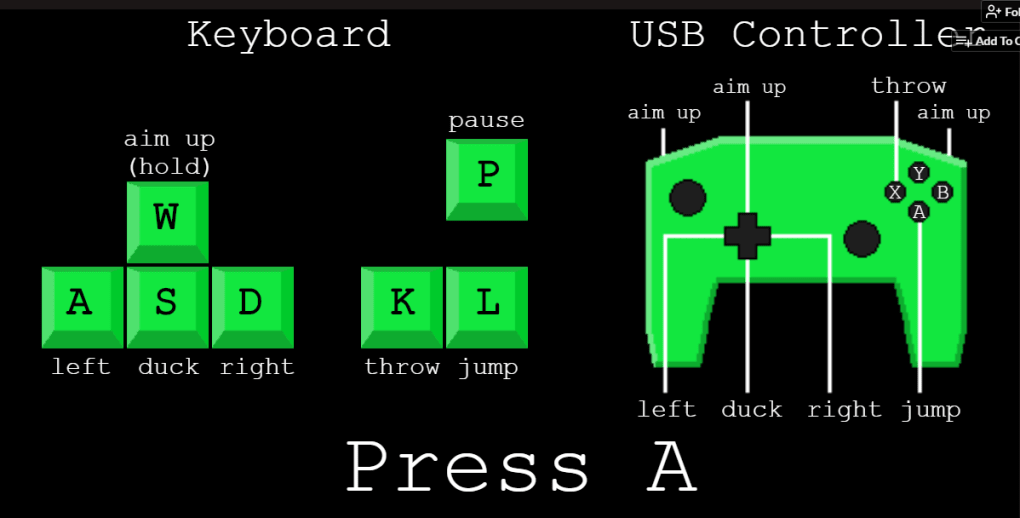
- Simple keyboard scheme: A/D for movement, W to aim upward, S to duck, K to fire fact projectiles, L to jump, and P to pause.
- Mini‑boss encounters that require strategic use of facts and timing.
- Free to play directly in a web browser – no download required.
- Authentic Geeks + Gamers humor woven into dialogue and level design.
- Dynamic obstacle types, including moving platforms, spikes, and “censorship walls” that block your path until you destroy them with facts.
The core mechanic revolves around “facts” as projectile weapons. Pressing K launches a fact blast that can stun or defeat NPC enemies, each of which represents a different internet meme or political talking point. The fact blasts have a short cooldown, encouraging players to think before they fire, mirroring the thoughtful approach Jeremy advocates on his channel.
Although the game offers only a single difficulty level, the designers have embedded subtle variations in enemy patterns and level layouts to keep players on their toes. For example, Level 3 introduces “Echo Chamber” corridors where enemies mimic your movements, forcing you to master the timing of jumps and shots. The final level culminates in a showdown against a massive “Censorship Bot” that requires precise fact‑launch sequences to dismantle.
Fans will appreciate the occasional Easter eggs referencing popular Geeks + Gamers videos, as well as the occasional fourth‑wall break where Jeremy comments on your performance in real time. While the visual polish could benefit from modern shaders, the overall design delivers a satisfying blend of nostalgia and satire.
Installation, Compatibility & System Requirements
How to Install and Launch Fact Blast
Fact Blast is a browser‑based title, meaning you don’t need to install any executable files or deal with complex setup procedures. Simply navigate to the official t‑rev website or the Geeks + Gamers channel’s dedicated page, click the “Play Now” button, and the game will load directly in your web browser. For the best experience, we recommend using the latest version of Chrome, Firefox, or Edge, as these browsers fully support HTML5 canvas rendering and WebAudio, which power the game’s graphics and sound.
If you prefer a controller, plug in any standard Xbox, PlayStation, or generic USB gamepad before launching the game. The controller mapping is auto‑detected, and you can toggle between keyboard and controller at any time via the in‑game settings menu (accessible by pressing P). While the game currently lacks customizable key‑binding options, the default layout is intuitive for most players.
Operating System Support
Because Fact Blast runs in the browser, it is compatible with Windows, macOS, Linux, ChromeOS, and even mobile browsers on Android and iOS devices. However, the controls are optimized for desktop environments, and the controller support is limited to platforms that recognize USB or Bluetooth gamepads. Mobile users can still play using the on‑screen touch controls that appear when the game detects a mobile viewport, though the experience may feel less precise.
Supported operating systems: Windows 10+, macOS 10.14+, Linux (any recent distribution), ChromeOS, Android 8.0+, iOS 12+. The game requires a minimum of 2 GB RAM and a modern GPU capable of handling basic WebGL; virtually any device released in the last decade meets these requirements.
Performance Tips
To avoid the occasional audio hiccup reported by some players, make sure your browser’s autoplay settings allow audio playback and that no extensions are blocking WebAudio. Clearing the browser cache before starting a new session can also reduce load times and prevent graphical glitches. If you experience lag, lowering the browser’s resolution or disabling hardware acceleration may improve smoothness.
Pros and Cons
What Works Well
- Free, instantly playable in any modern web browser.
- Engaging premise that mixes platforming with political satire.
- Responsive controller support adds comfort for long play sessions.
- Solid level design with varied obstacles and memorable mini‑bosses.
- Rich references and Easter eggs for Geeks + Gamers fans.
- Low system requirements make it accessible on older hardware.
Areas for Improvement
- No save system – players must restart from the first level each session.
- Only one difficulty setting limits replayability for hardcore gamers.
- Audio glitches can detract from immersion; volume controls are missing.
- Graphics, while nostalgic, could benefit from modern polish and animation smoothing.
- Lack of customizable keybindings may frustrate users with accessibility needs.
FAQ & Conclusion
Is Fact Blast truly free or are there hidden costs?
Fact Blast is completely free to play. There are no in‑game purchases, subscription fees, or hidden costs. You can enjoy the full experience directly from your web browser.
Can I play Fact Blast on a mobile device?
Yes, the game detects mobile browsers and provides on‑screen touch controls. While the experience is best on desktop with a keyboard or controller, mobile play is fully supported.
Does the game support saving progress?
Currently, Fact Blast does not feature a save system. Each session starts from the first level, encouraging players to complete the game in one sitting.
What browsers are recommended for optimal performance?
We recommend the latest versions of Chrome, Firefox, or Edge. These browsers fully support the HTML5 canvas and WebAudio technologies used by Fact Blast.
Is there any way to adjust the volume or mute the game?
At the moment, the game does not include an in‑game volume slider. You can control audio through your operating system or browser volume settings.
Final Verdict – Should You Download Fact Blast?
Fact Blast stands out as a charming, politically charged platformer that delivers both nostalgic gameplay and sharp commentary. Its free‑to‑play nature, solid controller support, and six thoughtfully designed levels make it a worthwhile diversion for fans of Geeks + Gamers and anyone looking for a quick, engaging action experience. While the lack of a save feature and occasional audio hiccups are notable drawbacks, they do not eclipse the overall enjoyment you get from blasting fact‑powered projectiles at opinionated NPCs.
If you appreciate indie games that blend humor with a cause, or if you simply enjoy retro‑style platformers that are easy to jump into, Fact Blast is a perfect pick. Click the “Play Now” button on the official site, grab your controller, and help Jeremy Griggs rescue the internet—one fact at a time. Happy blasting!



.png)



